If you wish to block your child's access to the Arcade games, please follow these steps:
1. Log in to your account using the email address and password you chose during the registration process.
2. Select your childs profile.
3. Select Child settings.
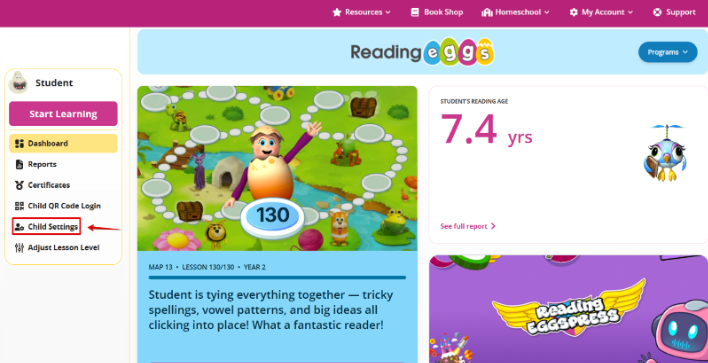
4.. Then select the ‘Program Access’ option.
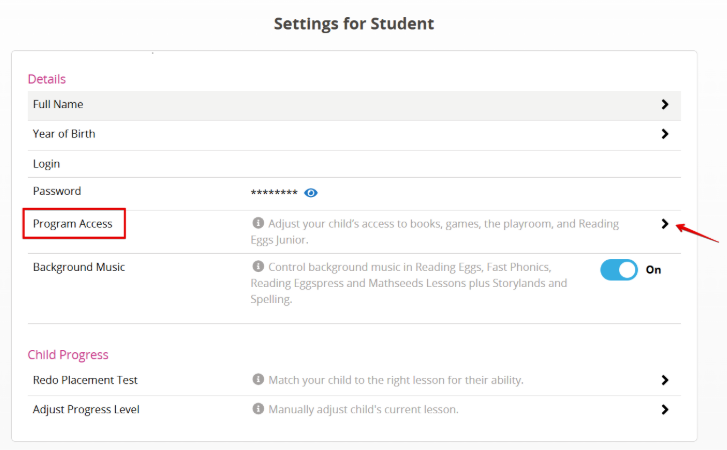
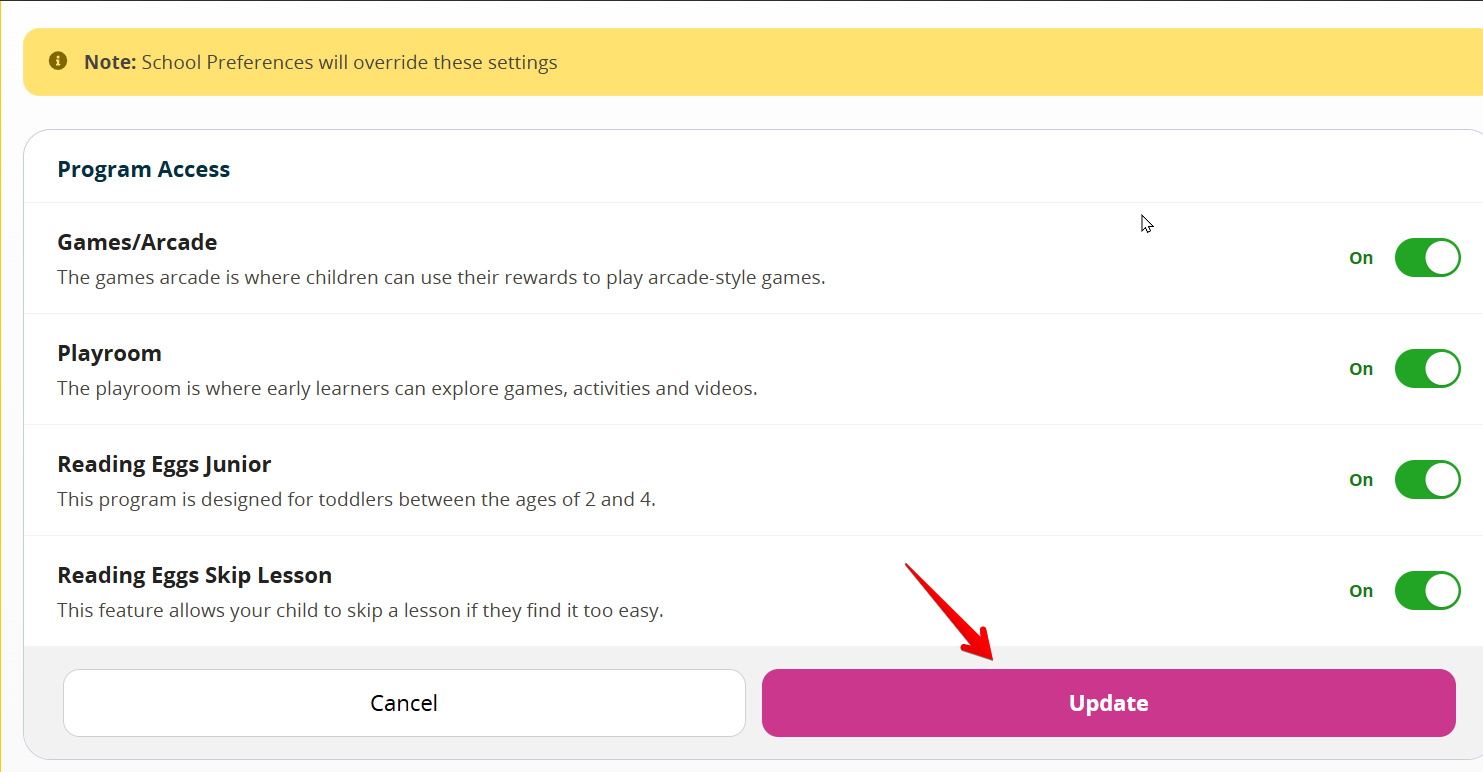
5. . Here you turn off access to the Games/Arcade feature, Playroom and Reading Eggs Jr and the Skip Lesson feature in Reading Eggs.
Was this article helpful?
That’s Great!
Thank you for your feedback
Sorry! We couldn't be helpful
Thank you for your feedback
Feedback sent
We appreciate your effort and will try to fix the article