You can add up to four children to your account. To add a child, follow these steps:
Log in to your account using the email address and password you chose during registration.
Select Family Dashboard.
Select Add a Child.
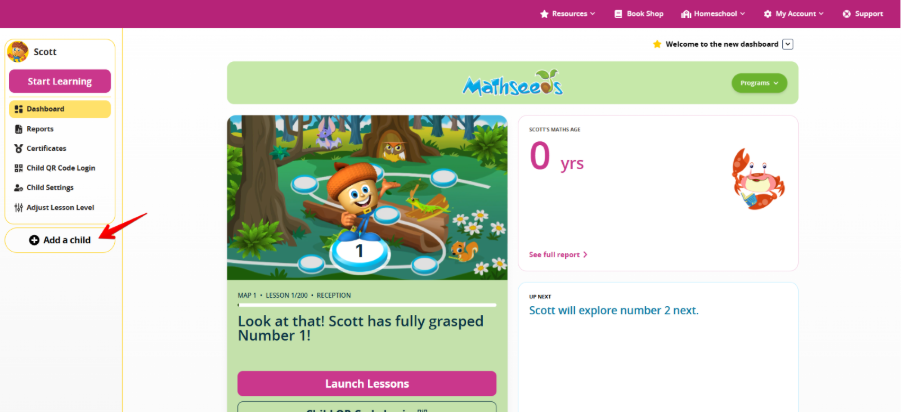
If you’re using the app: Select your child’s profile in the top-left corner for the Child Settings option to appear.
Choose the appropriate option:
Home accounts: Enter your child’s name and year of birth, then select Add Child.
School accounts: Enter your child’s school login details and year of birth, then select Link Child.
Repeat these steps for any additional children, up to a maximum of four per account.
Please note:
The Add a Child option will no longer appear once four children are linked to your account.
Was this article helpful?
That’s Great!
Thank you for your feedback
Sorry! We couldn't be helpful
Thank you for your feedback
Feedback sent
We appreciate your effort and will try to fix the article