To access the Reading Eggs Library, please follow the steps below:
1. Log in to your account using the email address and password you chose during the registration process.
2. Select Family Dashboard.
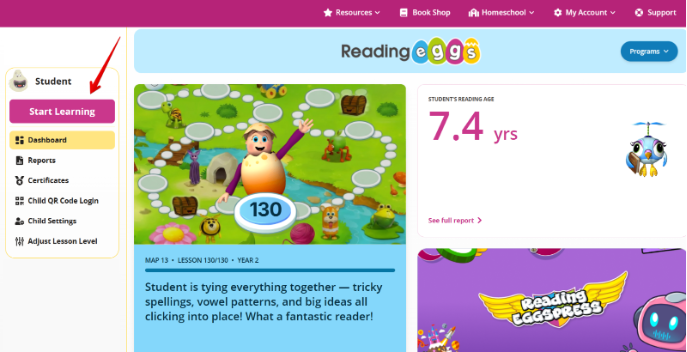
3. Select your child’s profile from the left-hand side of the screen.
4. Select Start Learning.
5. Click on the Library tab to access thousands of children’s e-books.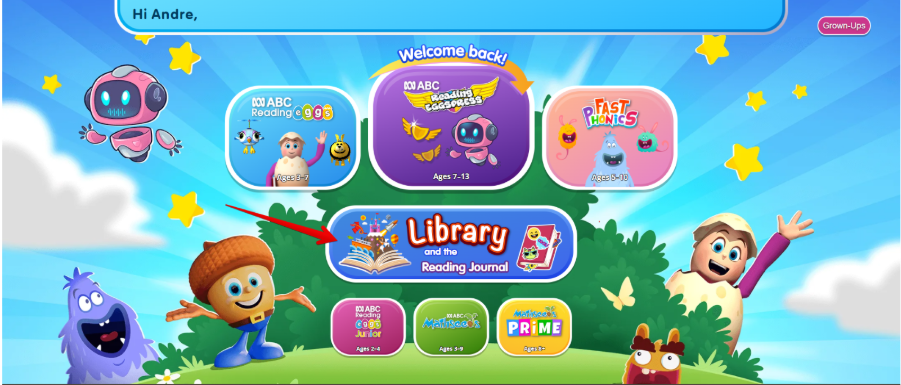
Was this article helpful?
That’s Great!
Thank you for your feedback
Sorry! We couldn't be helpful
Thank you for your feedback
Feedback sent
We appreciate your effort and will try to fix the article