To print a story your child has written in the Story Factory:
1. Log in to your account using the email address and password you chose during registration.
2. Select your child’s profile on the left-hand side of the screen.
3. Select Reports under the student’s profile tab.
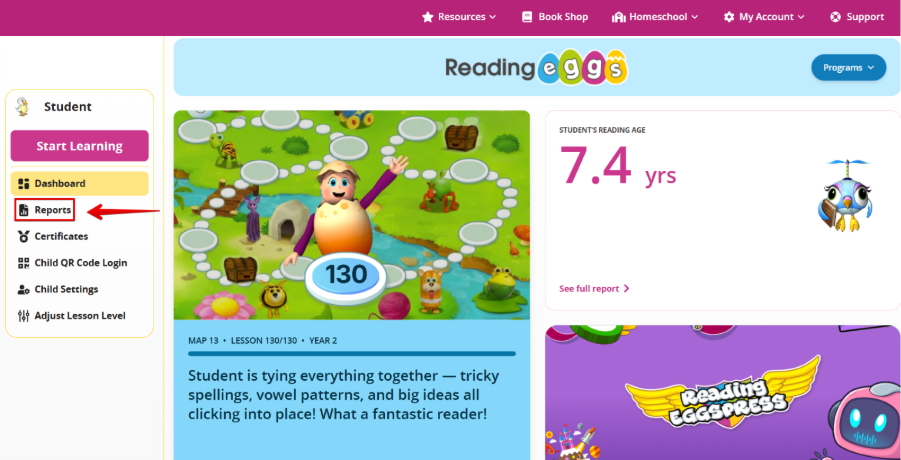
4. Select Reading Eggs and then scroll down to ‘Stories Written’.
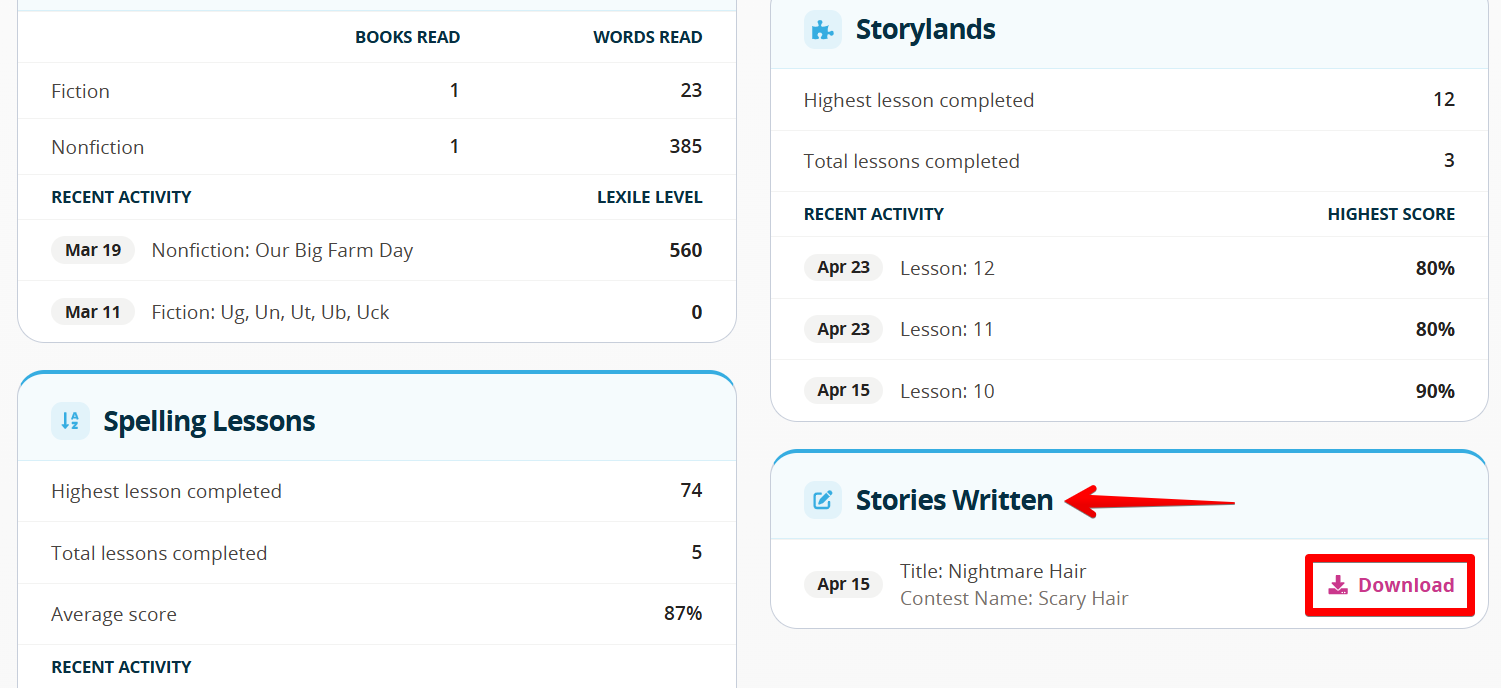
5. Select ‘Download’ next to the story you would like to print.
You can download the story onto your device to view and print later or print straight away.
Was this article helpful?
That’s Great!
Thank you for your feedback
Sorry! We couldn't be helpful
Thank you for your feedback
Feedback sent
We appreciate your effort and will try to fix the article